
GOT2000 Series
GOT2000 Series
The GOT continues to impress with solutions that fulfill all demands.
The GOT2000 boasts advanced functionality, acts as a seamless gateway to other industrial automation devices, all while increasing productivity and efficiency.
- Innovative display features in simply designed body
- Enhanced lineup with wide models
- GOT Mobile & GOT Drive further expands possibilities within factory systems
High-Speed Processing
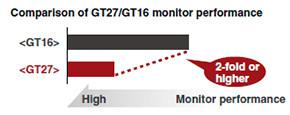
Easily operate the screens even during high-load processing, such as logging, script, alarm or device data transfer. (GT16 -> GT27: monitor performance is 2-foldor more higher).
Increased Memory Capacity
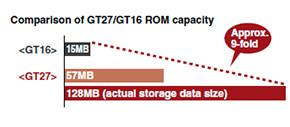
Design screens without worrying about the data capacity. The product data compression technology allows up to 128MB*2 of actual space to be used without an SD card*1. (GT27).
- An SD card may be required depending on the project.
- 80MB on GT2705.
Enhanced Lineup
The new GOT2000 is suitable for applications in any industry. The GT27, GT25 white model provides an additional color option, and the flush frame without the USB port can be cleaned very easily. The GOT can be installed vertically for extra flexibility when installed in confined spaces.
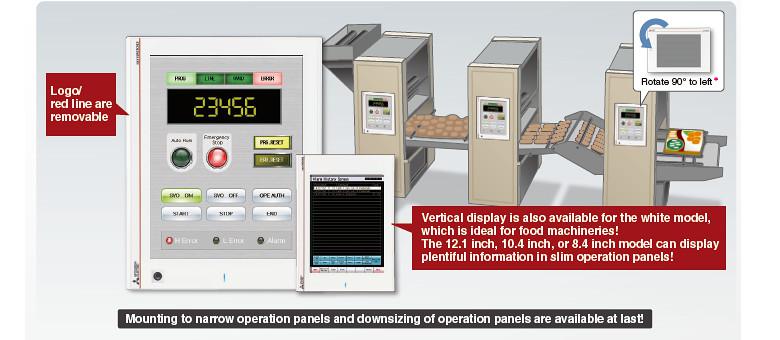
GT21 models should be rotated by 90 degrees to the right.
Intuitive User Experience
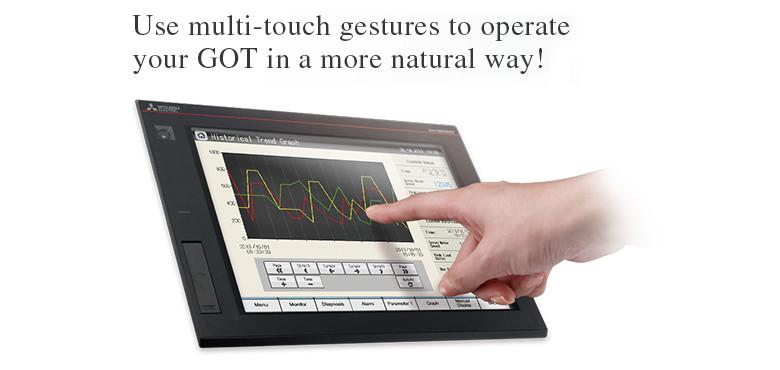
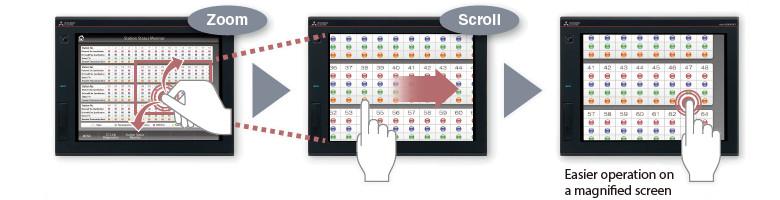
Screen Gestures (GT27 only)
Zoom in to easily operate small and hard to reach switches.After zooming in, scroll the display to show the area you want to operate.
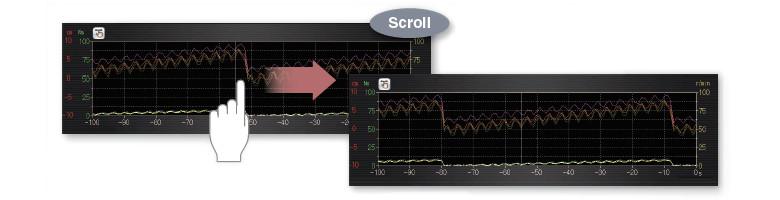
Object Gestures (GT27 only)
Specify an object to be enlarged, scrolled or flicked
- Historical data list display
- Alarm display (user)
- Alarm display (system)
- Simple alarm display
- Historical trend graph
- Document display
2-point press operation prevents incorrect operations (GT27 only)
Prevent accidental operations by designating two pressing points for critical operations.
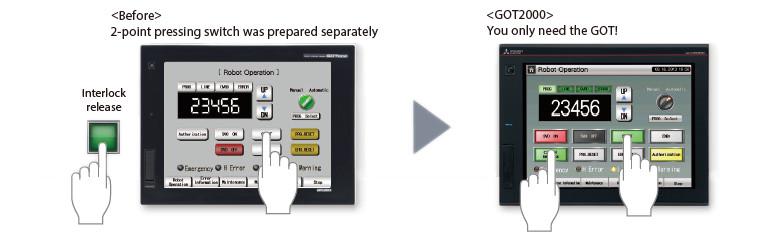
Cautions apply to the arrangement of the 2-point pressing switch.